


Pitch Trainer - Ear Training
4.718.00 Reviews
App Specs
- Version
- 6.3.3
- Updated On
- License
- Free
- Downloads
- 50,000+
- Developer
- Ear & Pitch Training Studios LLC
- Categories
- Education
- Platform
- Android
Screenshots
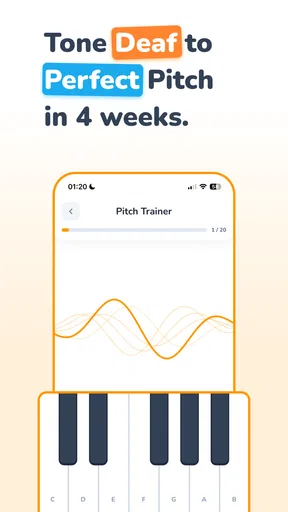
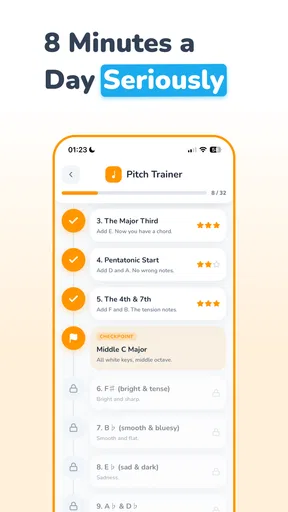
 Analysis by AppCompare
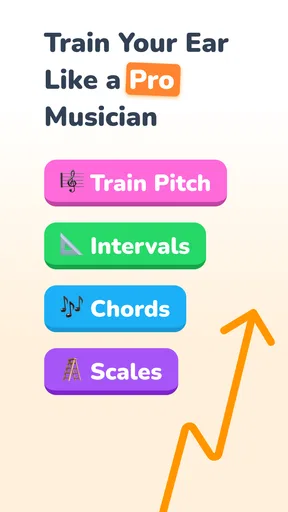
I came to Pitch Trainer - Ear Training with a very ordinary musician’s problem: I could recognize that a note or chord sounded “wrong,” but I could not always explain why. That gap matters when tuning an instrument, learning a melody by ear, checking harmony, or trying to sing a part without leaning on sheet music. This free education app from Ear & Pitch Training Studios LLC is built for that exact kind of practice, bringing notes, intervals, chords, scales, and progressions into one focused training space.
My first impression was that it works best when treated as a small daily instrument rather than a course I would rush through. The app is not a replacement for lessons, an instrument, or a teacher who can correct technique. What it does well is give me repeated listening decisions: hear something, identify it, check the answer, and try again. That simple loop can make ear training less abstract, especially for beginners who do not yet know how to organize their practice.
The app has an average rating of 4.6 from around 3.4 thousand ratings, with over 50 thousand installs. Those figures suggest a healthy audience without making it feel like a crowded social platform. It is rated for Everyone, so it is approachable for younger learners as well as adults. The current version is 6.3.3, and it runs on Android 7.0 or later. I would still think of it primarily as a personal practice tool: open it, work on one weak area, and leave with a clearer sense of what my ears can and cannot yet recognize.
From an uncertain ear to a repeatable practice routine
I use a short, focused session to turn vague uncertainty into a specific listening question: which sound am I confusing, and what should I listen for next? That makes practice easier to resume on a busy day, because I can return with one clear aim instead of starting over. From there, the next section can look at how to keep that routine useful when I move between different musical tasks.
Starting with the problem I actually want to solve
The most useful way to begin is not by trying every exercise at once. I first decide what kind of listening problem is getting in my way. If I am struggling to match a sung note, note recognition is the logical starting point. If melodies feel manageable but two notes seem impossible to distinguish, intervals deserve attention. If a song’s emotional direction is confusing, chords, scales, or progressions may be more relevant.
That choice is important because “ear training” can mean several different skills. A person preparing for a theory exam may want quick identification. A guitarist trying to learn songs may care more about hearing movement between notes and recognizing chord color. A singer may need a practical connection between hearing a pitch and reproducing it. The app’s range of subjects gives me room to move between those goals, but it also means I have to supply some discipline. Opening everything randomly can feel busy without producing a clear outcome.
I recommend beginning with the smallest useful target: one exercise family, a short session, and a notebook or mental note about the mistakes that keep appearing. That last part is easy to overlook. If I repeatedly confuse neighboring intervals, the valuable information is not just the score; it is the pattern of confusion. I can then spend the next session listening for the musical character of that distance instead of guessing from memory.
Worth Reading Before You Choose

EA SPORTS FC Mobile 26 Is a Bigger Football Game, but It Takes Time

Flipboard Shows What News Apps Must Do Beyond the Feed

Switching to Android Auto Means Rethinking Your Driving Routine

Google Calendar Makes a Crowded Week Easier to Manage

Ludo King Makes the Most of the Minutes Between Plans

Baby Panda World Brings Quick Play to Modern Phones, but Its Game Library Feels Busy
Working through the listening loop
The central flow is straightforward. I listen to a prompt, decide what I believe I heard, select an answer, and use the result to adjust my next attempt. This is more productive than passively replaying examples because it forces a decision before feedback arrives. Even an incorrect answer has value when I can remember what I expected and compare it with the correct sound.
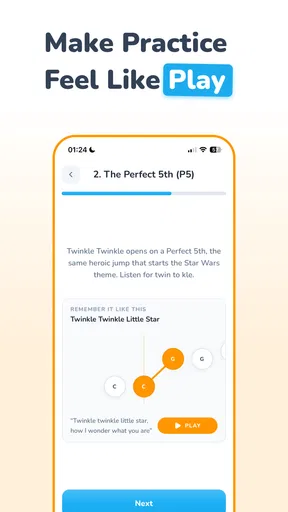
For notes, I try to avoid turning the exercise into a visual matching task. The useful habit is to hear the pitch first, hold its sound in my mind, and only then look at the choices. With intervals, I listen to the distance and direction rather than naming the first note too quickly. With chords, I pay attention to the overall quality and the feeling of stability or tension before I start searching for individual notes. These small changes in listening behavior make the same app more useful than simply tapping the fastest answer.
Scales and progressions need a slightly different approach. They are not just isolated sounds; they describe movement. I find it more helpful to imagine where the sequence wants to go and then check whether my expectation matches the answer. This turns practice into a bridge between recognition and musicianship. When I later hear a phrase in a song, I am more likely to notice its direction instead of treating every note as a separate event.
The strongest habit is to answer before replaying. Replaying until the answer becomes obvious can feel encouraging, but it hides the exact skill I am trying to build. I would rather accept a wrong attempt, identify the source of the mistake, and hear the example again with a specific question in mind. That creates a cleaner handoff from the app’s prompt to my own musical memory.
Moving from recognition to real music
The app becomes more meaningful when I connect each practice block to something outside it. After working on intervals, I might listen to a familiar melody and notice whether its opening movement feels similar to an exercise. After chord work, I can pause during a song and predict whether the next harmony will feel settled or tense. These are not extra app features; they are ways I carry the result into the situations that motivated me to train in the first place.
A realistic everyday workflow could happen before a rehearsal. I have ten quiet minutes while waiting for a bandmate, so I choose one area rather than attempting a full theory lesson. I listen carefully, answer without rushing, and keep track of the sounds that cause hesitation. At rehearsal, I then use that awareness when checking a starting note or following a progression. The session is short, but it has a handoff: the app provides controlled listening, and the rehearsal tests whether that listening survives in a less predictable setting.
Another useful routine is for a beginner learning an instrument. Before practicing a song, I spend a few minutes with note or interval exercises. Then, while playing, I deliberately listen for whether the note I expect is the note I produce. This does not magically fix intonation or technique, but it makes practice less dependent on looking at the instrument. The ear begins to participate in the correction process.
How I handle the handoffs between exercises
The handoff from one topic to another is where many ear-training routines become inefficient. Notes, intervals, chords, scales, and progressions overlap, but they are not interchangeable. If I cannot identify a single pitch reliably, jumping straight into complex progressions may create a chain of guesses. I prefer to use the app in layers: establish a reference with notes, compare distances through intervals, then apply that listening to chords and progressions.
There is also a handoff from visual confidence to auditory confidence. A learner may recognize a term on a screen but still fail when the sound appears without context. To avoid that trap, I try to keep my eyes away from the answer choices for a moment and describe the sound internally before selecting anything. The app can present the challenge, but I have to decide whether I am training my ears or merely recognizing labels.
For teachers and parents, the app’s Everyone rating makes it easy to consider as a shared practice aid, but supervision still matters for younger learners. A child may interpret a wrong answer as failure instead of information. I would frame each attempt as a clue about what to practice next. A short conversation afterward—“What sounded similar?” or “What changed between those two examples?”—can turn a tap-based activity into actual listening.
The final handoff is from repetition to musical use. If I keep practicing only inside the app, I may become comfortable with its exercise format without becoming better at hearing live music. I therefore treat the app as the controlled part of a larger routine. I use it to isolate a skill, then test that skill with singing, an instrument, a recording, or a rehearsal. That is where I can tell whether the improvement is transferable.
What the result feels like in practice
The most realistic result is not instant perfect pitch. It is a gradual reduction in uncertainty. I may begin by hearing two sounds as unrelated, then start noticing that one interval has a recognizable shape. Chords that once blended into a single block can begin to feel different in quality. A progression may still be difficult, but I can at least hear when it is moving away from or back toward a point of rest.
That kind of progress is easy to miss if I only judge myself by correct answers. I pay attention to response time, confidence, and the quality of my mistakes. A lucky guess is not the same as a reliable recognition, while a wrong answer made for a sensible reason may show that I am close. The app is useful when I use feedback diagnostically instead of treating every result as a verdict on my musical ability.
It also helps that the app is free to start. I can test whether its listening approach fits my habits before deciding whether additional paid content is worthwhile. In-app purchases range from $4.99 to $59.99 per item, so I would look carefully at what each purchase unlocks and whether it matches my specific goal. Someone who only needs a simple introduction should not assume that buying more material will automatically produce better ears.
Compared with a traditional theory book, the app offers a more immediate sound-and-response loop. A book can explain interval names and chord symbols clearly, but it cannot by itself make me listen and choose. Compared with a private teacher, the app is cheaper and available whenever I have a spare moment, but it cannot hear me sing, notice tension in my technique, or reshape an exercise around a subtle misunderstanding. Compared with a general music game, this feels more directly tied to structured listening than to entertainment or competition.
That comparison also clarifies who should use it. It is a good fit for a beginner who needs regular exposure, a self-taught musician who wants a clear practice prompt, or an experienced player trying to keep listening skills active. It is less suitable for someone seeking instrument instruction, vocal coaching, sight-reading lessons, or detailed feedback on performance. If my main problem is that I do not know how to play a chord, ear drills will not substitute for learning the instrument itself.
Where the workflow breaks down
The first friction point is motivation. Listening exercises can be repetitive, and the app cannot create a personal reason for me to care about every category. If I am working toward a song, audition, class, or rehearsal, practice has direction. Without that connection, I may tap through prompts mechanically. The solution is to attach each session to a concrete musical task rather than expecting the app alone to provide momentum.
The second limitation is the gap between a clean exercise and messy real sound. Musical instruments, voices, recordings, rooms, and ensembles introduce tone, timing, tuning, and background noise. A distinction that feels obvious in a controlled prompt may become harder in context. That is not a flaw unique to this app, but it is a reason not to mistake improved exercise performance for complete ear mastery.
Another break occurs when I practice at the wrong level. Starting with material that is too difficult encourages guessing, while staying with easy material can create a comfortable score without meaningful growth. I need to change the task when I can answer automatically, but not so quickly that I lose the chance to examine the sound. The best level is challenging enough to expose a weakness and clear enough that feedback teaches me something.
There is also a practical trade-off in the purchase model. The app is free, which lowers the barrier to trying it, but the presence of individual in-app purchases means I should make a deliberate decision before spending. I would first establish a routine with the available experience, identify the exact limitation I want to address, and only then consider an upgrade. Paying for broader access makes sense when I am already practicing consistently; it makes much less sense as a substitute for consistency.
People who need a highly personalized curriculum may prefer a teacher or a more comprehensive music-learning platform. Someone who wants a visual course with long explanations may also find this format too exercise-centered. I would skip it if I dislike repeated listening decisions or if my immediate priority is learning songs through tabs, notation, or guided instrument lessons. Its value lies in ear-focused repetition, not in covering every part of musicianship.
My recommendation after following the full workflow
I recommend Pitch Trainer - Ear Training to anyone who understands that better listening comes from making many small, honest decisions. Start with one weak area, answer before replaying, note the pattern behind mistakes, and then carry the skill into a song, rehearsal, instrument, or voice. That workflow gives the app a clear job and prevents it from becoming another exercise list I open without a plan.
My favorite aspect is the way it makes invisible listening problems easier to name. Instead of saying “my ear is bad,” I can ask whether I am confusing nearby intervals, losing the tonal center, or failing to hear chord movement. That shift is practical and encouraging. It turns frustration into a next step.
I would not present it as a complete music education system, and I would not expect it to deliver instant accuracy. The limitations are real: progress depends on regular practice, controlled prompts do not perfectly reproduce live music, and advanced learners may need more individualized feedback. Still, for a free starting point that covers several important areas of ear training, it offers a focused way to turn spare minutes into useful listening work.
In the end, the app succeeds when I use it as the first link in a chain: listen inside the exercise, make a decision, understand the mistake, and apply the result somewhere musical. If that is the kind of practice I need, this is an easy tool to try. If I want a teacher, instrument course, or complete theory curriculum, I would choose one of those alongside it rather than expecting this app to do every job.
Pros
- Short exercises make daily ear-training practice easy to fit into a routine.
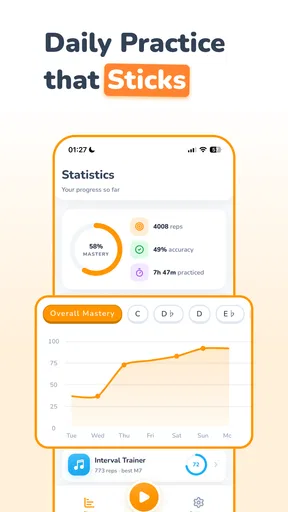
- Progress tracking helps users monitor improvement over time.
- Useful for singers
- instrumentalists
- and music students at different levels.
- Focused drills can strengthen pitch recognition without requiring an instrument.
- Clean practice format keeps attention on listening rather than complex menus.
Cons
- Some exercises may feel repetitive after extended use.
- Advanced learners may want more detailed theory or customization options.
- Results depend heavily on using headphones or accurate device speakers.
- Pitch accuracy can be difficult to judge in noisy surroundings.
- Regular practice is needed; occasional use may produce limited improvement.
FAQs for Pitch Trainer - Ear Training
What is Pitch Trainer - Ear Training, and who is it designed for?
Pitch Trainer - Ear Training is a music practice app focused on improving your ability to recognize and reproduce musical pitches. It is suitable for beginners, singers, instrumentalists, music students, and more experienced musicians who want to strengthen their ear. The exercises are generally short and practical, making the app useful for regular practice at home, during lessons, or while traveling.
How does Pitch Trainer - Ear Training help improve musical hearing?
The app trains your ears through interactive exercises that ask you to identify notes, intervals, or pitch differences. After listening to a sound, you select or reproduce the answer and receive immediate feedback. With consistent practice, these activities can improve pitch recognition, relative pitch, concentration, and confidence. Progress depends on regular use, careful listening, and gradually working through more challenging exercises.
Do I need previous musical knowledge to use the app?
No, extensive musical training is not required to begin using Pitch Trainer - Ear Training. Beginners can start with basic pitch exercises and learn through repetition and instant feedback. However, understanding simple concepts such as musical notes, scales, or intervals may make some activities easier to follow. More experienced users can use the app as a convenient supplement to formal ear-training lessons.
Can Pitch Trainer - Ear Training replace singing or instrumental lessons?
Pitch Trainer - Ear Training is best viewed as a practice aid rather than a complete replacement for a teacher, vocal coach, or instrumental instructor. It can help you develop listening skills and reinforce concepts between lessons, but it cannot fully evaluate posture, tone production, technique, musical expression, or individual learning problems. Combining the app with guided practice usually provides more complete results.
Is Pitch Trainer - Ear Training free to download, and are there in-app purchases?
Availability, included exercises, advertising, and premium features may vary depending on the version and whether you use Android or iOS. Before downloading, check the official store listing for the current price, subscription details, and supported features. If the app offers optional purchases, review what they unlock and confirm whether any subscription renews automatically before completing the transaction.


